Arkansas AI Inbox Sorting in 2026: How Small Teams Answer More Leads With Less Chaos
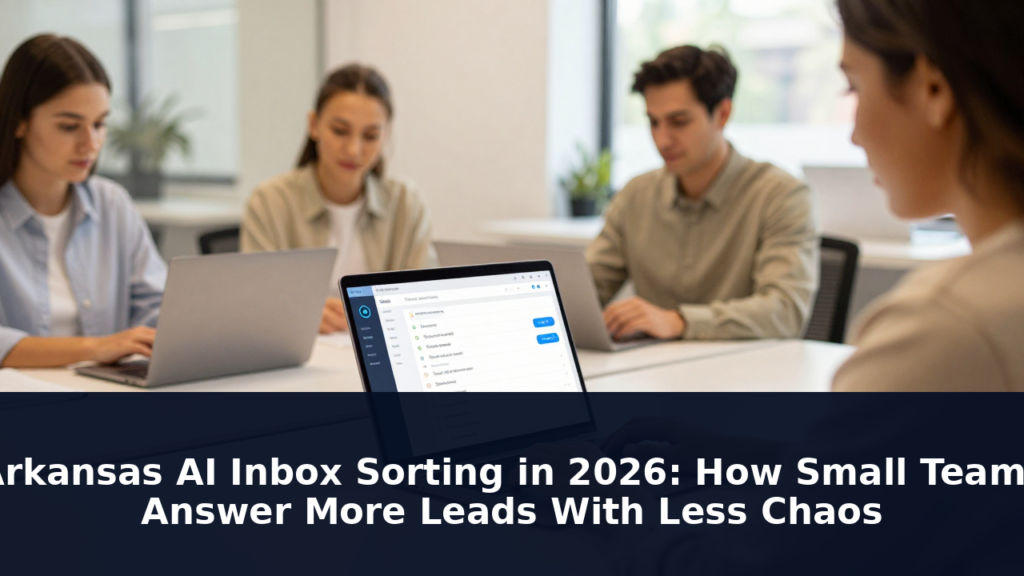
Arkansas AI inbox sorting in 2026 solves a problem every small team in the state knows by name: the leads that slip through. You’re running a plumbing company in Fort Smith or a consulting practice in Bentonville. Someone fills out a form on your website at 9pm on a Tuesday. You see it Wednesday morning. By then, they’re already talking to your competitor. AI inbox sorting fixes that — not by adding headcount, but by making sure nothing falls through.
This guide covers what AI inbox sorting actually does for small Arkansas businesses, which tools handle it well, and how to set it up without hiring a tech team.

The Lead Response Time Problem Is Worse Than You Think
A lead that comes in after hours or over the weekend is not a problem for the next business day — it’s a problem that compounds. Research shows that leads contacted within five minutes are 21 times more likely to convert than leads contacted 24 hours later. For small Arkansas businesses without a dedicated receptionist or sales team, that five-minute window is mostly theoretical.
The average small business with fewer than 10 employees takes 47 hours and 32 minutes to respond to a new lead. That’s nearly two full business days. In that time, the average B2B response time across industries sits at 42 hours — which means most small teams aren’t even slow by choice, they’re slow because there’s nobody assigned to watch the inbox in real time.
Responding within one minute of a lead inquiry increases conversions by up to 391% compared to responses taking an hour or more. That’s not a marginal improvement — it’s the difference between a full pipeline and an empty one.
What AI Inbox Sorting Actually Does
AI inbox sorting is not an auto-responder. An auto-responder sends the same “we’ll be in touch” email to everyone and calls it done. AI inbox sorting is different. It reads each incoming message, understands what the sender is asking, and takes a specific action based on what it finds.
For an Arkansas service business, that means AI can read a website contact form submission and immediately categorize it: this is a pricing inquiry, this is a service question, this is a new lead needing a callback. The AI can draft a personalized response that sounds like a real person on your team. It can flag urgent inquiries — a burst pipe in a restaurant, a legal question — for immediate attention. It can route general questions to an FAQ page and new leads to your calendar booking link.
The result is that when you open your inbox in the morning, the messages are already sorted by priority, already partially answered, and already categorized. You spend 20 minutes instead of two hours. And leads don’t sit unanswered for 47 hours while you’re on a job site.
How AI Inbox Sorting Works for Small Teams
Here’s what the workflow looks like for a small Arkansas team — three people, maybe five — that can’t afford a dedicated office manager.
An inquiry comes in from your website contact form, your Google Business Profile messaging, your Facebook page, or a voicemail transcription. AI reads the message and immediately drafts a response based on your business information, your service offerings, and your tone preferences. That draft goes into your inbox marked as AI-assisted. You review it in 90 seconds, make any tweaks, and hit send. Meanwhile, the AI has also categorized the lead: hot, warm, or follow-up — and logged it in whatever simple tracking system you use.
If the inquiry is a common question — “what are your hours,” “do you service zip code 72756” — the AI can answer it immediately without flagging you at all. You get a copy for records, the customer gets an instant answer, and you’re not interrupted.
The key advantage for small teams is triage. Instead of reading through every message to figure out what’s urgent and what can wait, you see the queue pre-sorted. A new lead from a potential commercial client in Rogers who found you through a Google search is flagged as priority. A message asking if you’re open on Saturdays gets a same-day automated answer.
Choosing the Right AI Inbox Tool for Your Arkansas Business
Not all AI inbox sorting tools are built for small teams. Here’s how to evaluate them.
The tool should connect to your existing inbox — Gmail, Outlook, or whatever you’re already using — without requiring a migration. It should let you set response rules: how urgent is a pricing inquiry, what qualifies as a hot lead, how quickly should a response be drafted. And it should learn from your feedback — if you consistently revise a certain type of AI response, it adjusts.
For Arkansas businesses, a tool that handles phone voicemail transcription is a plus. Many small service businesses still get a significant share of their leads by phone. If your voicemail goes into the same inbox as your emails, AI can read the transcription and sort it the same way.
Popular options that work well for small teams include tools like Gmail’s built-in AI sorting, HubSpot’s free CRM with AI inbox features, and dedicated AI inbox tools like Front or Missive. Most offer free tiers or trials sufficient for a small team to test whether the workflow fits how they actually operate.
Setting Up AI Inbox Sorting Without Overcomplicating It
The biggest mistake small teams make with AI inbox tools is over-configuring them on day one. You don’t need to automate everything at once. Start with these three setups and expand from there.
Connect your primary inbox. Link Gmail or Outlook so incoming messages flow through the AI layer. Set it to sort messages into three folders: Hot Lead, Needs Response, and FYI. Define what goes into Hot Lead — probably any inquiry from a business email address mentioning a specific project or asking about pricing on commercial work.
Write your first three response templates. These are the messages the AI uses as a base for common inquiries. A pricing inquiry response, a new lead acknowledgment, and a “we’re currently booked — here’s how to get on the waitlist” message. Keep them short. Two to three sentences. The AI will expand or trim them based on the specifics of each inquiry.
Set notification rules. Decide when you want to be pinged. Hot leads get a phone notification immediately. Everything else waits for your next inbox review. This protects your attention and keeps you from getting 47 notifications a day.
The Data Behind Why This Matters for Arkansas Businesses
The numbers on lead response speed are not marketing statistics — they’re behavioral research. According to a 2026 analysis of lead response patterns, businesses that respond within one minute see conversion rates up to 391% higher than those responding within an hour. A separate study found that 78% of organizations now use AI in at least one business function — up from 72% six months prior. AI inbox sorting is one of the fastest, cheapest implementations of that category.
For a small Arkansas team, this isn’t about replacing the personal touch. It’s about making sure the personal touch happens before the lead has moved on.
Common Mistakes When Setting Up AI Inbox Sorting
Letting AI answer without review. AI drafts should go to you for approval before sending — at least for the first few months. A misread message can result in an embarrassing or inaccurate response going to a potential client. Review the drafts, correct them, and let the AI learn.
Setting it and forgetting it. AI tools need feedback to improve. If you’re consistently revising AI responses in a certain direction, update your templates. Most tools have a simple “better response” or “edit” function that trains future outputs.
Automating responses to complex inquiries. If someone sends a multi-question email with specific requirements for a commercial project in Little Rock, don’t let AI answer it without your input. AI handles common, simple inquiries well. Complex, high-stakes inquiries deserve a human reply.
Using the same tone for every message. Your AI-assisted responses for a hot lead inquiry should sound different from your response to someone asking if you’re open on Sundays. Configure different response templates for different message types and the AI will use the right tone for the right situation.
What AI Inbox Sorting Costs in 2026
Most AI inbox tools are free or low-cost for small teams. Gmail’s basic AI features are included with a standard Google Workspace account. HubSpot’s free CRM includes AI-assisted email sorting and response drafting for teams of any size. Dedicated AI inbox tools like Front or Missive start around $15–$25 per user per month for the features small teams actually need.
The cost of not sorting your inbox is harder to quantify but more expensive. Every lead that goes cold because you didn’t respond fast enough is a lost job. At a typical Arkansas service business closing rate of 20–30% on new inquiries, even two or three recovered leads per month easily justifies a $20 monthly tool subscription.
Frequently Asked Questions
What is AI inbox sorting and how does it work for small businesses?
AI inbox sorting uses artificial intelligence to read incoming messages, categorize them by urgency and type, and draft personalized responses. For small businesses, it acts as a virtual triage assistant — sorting leads, flagging hot prospects, and drafting answers so you spend less time on inbox management and more time on actual work.
How quickly should an Arkansas small business respond to a new lead?
Research shows leads contacted within five minutes are 21 times more likely to convert than leads contacted 24 hours later. Responding within one minute increases conversions by up to 391% compared to responses taking an hour or more. AI inbox sorting makes that speed possible for a team that doesn’t have someone monitoring the inbox full time.
Does AI inbox sorting replace a real person answering the phone?
No. AI inbox sorting handles written inquiries — website forms, emails, voicemail transcriptions, and social media messages. It drafts responses and prioritizes your inbox. A phone call still requires a real person to answer or a voicemail that gets transcribed and sorted. The goal is to make sure written inquiries get the same fast, thoughtful response you’d give in person.
What tools work best for AI inbox sorting for a small Arkansas team?
HubSpot’s free CRM works well for small teams that need basic AI sorting and lead tracking. Front and Missive are good options for teams that need multi-channel inbox management across email, social, and voicemail. Gmail’s built-in AI features are sufficient for teams that primarily use email and want a low-cost starting point.
Is AI inbox sorting secure for a small business?
Most reputable AI inbox tools use encryption and are GDPR and SOC 2 compliant. Avoid tools that ask for your email password without explanation or that don’t have clear data privacy policies. For Arkansas businesses handling any personal customer data, choose a tool that clearly states where your data is stored and whether it is used to train other models.
How long does it take to set up AI inbox sorting?
Most AI inbox tools connect to your existing email in under 30 minutes. Writing your first three response templates takes another 30 minutes. You can have basic AI inbox sorting running within an afternoon. More advanced sorting rules and multi-channel setup — including voicemail transcription and social media — may take another session or two.
Can AI inbox sorting help with customer service after a sale?
Yes. AI inbox sorting can also handle post-sale inquiries like scheduling confirmations, appointment changes, and common questions about services you’ve already provided. Sorting these separately from new inquiries lets you route existing customers differently from new leads and maintain better follow-up discipline across your entire client base.
Aggressive Representation. Proven Results.
Need an Arkansas Registered Agent to Support Your Growing Business?
Rapid Registered Agent provides registered agent services in Arkansas and all 50 states, so you can focus on running your business — not managing compliance paperwork.